“I want to change or spoof my location using the NordVPN app.”
Many people may have this concern.
One of the main reasons for changing or spoofing a smartphone’s location is to protect privacy.
Additionally, some may want to use it to efficiently play location-based games like Pokémon GO or to receive in-store coupons.
In this article, we will explain whether NordVPN can be used to change or spoof your location.
目次
Partial location change/spoofing is possible with the NordVPN app
To conclude first, partial location change or spoofing is possible with the NordVPN app.
Smartphone location data is determined by two factors:
- IP address
- GPS
Among these, NordVPN can only change the IP address, not the GPS location.
IP address

An IP address is a number assigned to any device connected to the internet, such as a computer, tablet, or smartphone.
Information that can be determined from an IP address includes:
- Country and city name
- Internet Service Provider (ISP)
This information is shared with web service providers.
For example, if you access Netflix, it may receive details like “Accessing from NY, via AT&T.”
Benefits of Changing Your IP Address
The biggest advantage of changing your IP address with NordVPN is bypassing geo-restrictions (geoblocking).
Some video streaming services and websites restrict access from certain countries, such as Japan.
By using NordVPN, you can:
- Get better deals on web services, flight tickets, and hotel bookings
- Watch Japanese videos while traveling abroad
- Access region-locked content available only in specific countries
- Use restricted Japanese web services from overseas
GPS
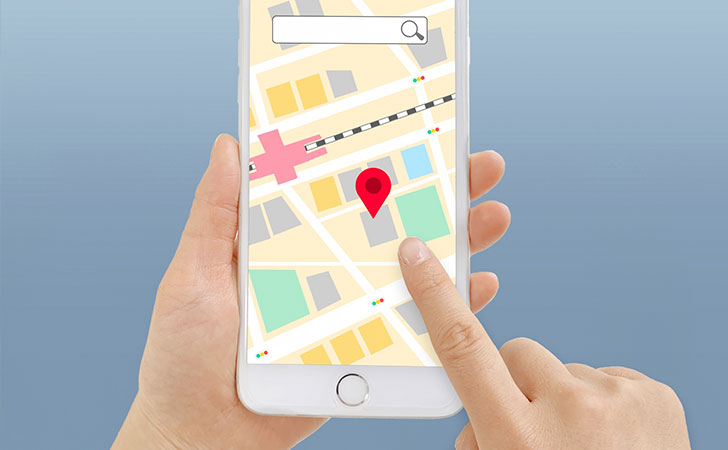
GPSとは、人工衛星から発せられる電波を受信して3次元測位という計算により現在地を特定すGPS is a system that determines the current location by receiving signals from satellites and calculating position through three-dimensional positioning.
Information that can be determined from GPS includes:
- Current location (with an accuracy of about 10 meters)
However, while NordVPN can change your IP address, it cannot change your GPS location.
For example, when connected to a VPN server in theJapan using NordVPN, Google Maps still displayed the correct actual location.
How to Change GPS Location
To change your GPS location, you need to install a dedicated app.
For Android, popular apps include:
- Fake GPS Location
- GPS JoyStick
For iPhone, there are no GPS spoofing apps available on the App Store.
Instead, you need to install software like iMyFone AnyTo on a computer and connect your iPhone to use it.
How to Turn Off GPS Location
You can easily turn off GPS location from your smartphone’s settings.
For iPhone:
- Open the Settings app.
- Go to Privacy & Security → Location Services and turn it off.
- Scroll down to manage GPS location settings for individual apps.
For apps like Google Maps that require GPS, selecting “While Using the App” is recommended.
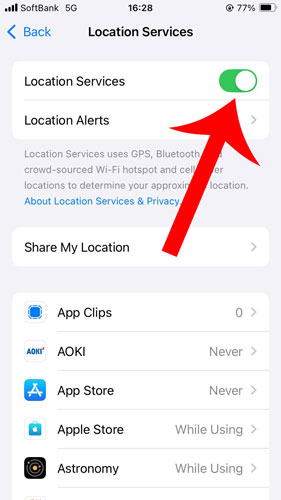
For Android, you can also turn off GPS by going to Settings → Location → App access to location and disabling it.

Turning off GPS location can help reduce battery consumption.
However, keep in mind that disabling location services will prevent you from using features like maps, traffic updates, ride-hailing apps, and Find My iPhone.
Conclusion
In this guide, we explained whether NordVPN can change or spoof your location.
NordVPN allows you to change your IP address, but it cannot modify your GPS location.
However, changing your IP address can help bypass geo-restrictions and enhance privacy protection.
NordVPN also offers advanced features like Double VPN and Onion Over VPN, which further improve anonymity and security.


However, many game apps prohibit changing location using third-party apps.
If detected, your account may be banned or suspended, even if you have spent time and effort building it.
Additionally, some location spoofing apps may contain malware or viruses, posing a risk of personal information leaks. Be cautious when choosing and using such apps.