
“I Want to Share NordVPN with My Family”
If that’s the case, you might be wondering whether NordVPN allows multiple simultaneous connections.
If NordVPN supports simultaneous connections, you can encrypt and secure the internet connection on all your home devices.
You can also change your IP address to enjoy video content from other countries.
In this article, we’ll explain how many devices can be connected to NordVPN at the same time, and how to set it up on multiple devices.
目次
NordVPN supports up to 10 simultaneous device connections.
To give you the answer up front — NordVPN supports up to 10 simultaneous connections.
This is also confirmed on NordVPN’s official website.
Connect multiple devices with a single NordVPN account! Up to 10 devices are covered with simultaneous connections.
Source: NordVPN Official Website – “How many devices can I use with NordVPN?”
Compatible Devices
NordVPN is compatible with virtually all types of devices.
For example, you can connect two home computers, one tablet, four smartphones, two smart TVs, and even a game console — all at the same time.
- PC(Windows、Mac、Linux、Chromebook)
- Tablet(iPad、Android、Fire tablet)
- Smartphone(iPhone、Android)
- TV(Android TV、Fire TV Stick)
- Game(Nintendo Switch、PlayStation、Xbox)
- VR(Meta Quest)
- Raspberry Pi
By configuring NordVPN on your router, you can go beyond the 10-device limit and connect as many devices as your network supports.
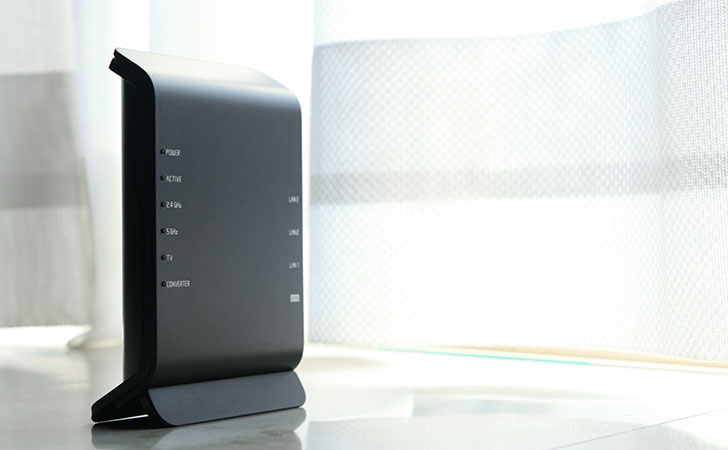
By setting up NordVPN on your router, you can connect more than 10 devices simultaneously — up to the maximum number of devices your router supports.
This is also confirmed on NordVPN’s official website.
Protect Everything with a Single Router
When you connect NordVPN to your home or office router, every device on the network is protected by the VPN.
Source:NordVPN official site
Even better, the router counts as only one device toward your connection limit — while allowing unlimited devices to connect through it.

If you set up NordVPN on your router, any device connected via Ethernet or Wi-Fi will automatically be protected by the VPN.
This eliminates the need to install the NordVPN app on each device or manually connect to the VPN every time.
It also allows you to protect devices that can’t run the NordVPN app, such as IoT devices and other unsupported hardware.
Compatible Routers
NordVPN cannot be set up on just any router.
To use NordVPN on a router, you’ll need one that supports OpenVPN — one of the VPN protocols required for configuration.
| OpenVPN | ◯ |
|---|---|
| PPTP | ー |
| L2TP/IPsec | ー |
| SSTP | ー |
| IKEv2 | ー |
OpenVPN is one of the VPN protocols.
It is an open-source protocol developed primarily by Technologies, Inc., and is widely adopted due to its excellent speed and security.
Compatible Manufacturers
Here are some of the major manufacturers that offer routers compatible with OpenVPN.
- ASUS WRT
- ASUS Merlin
- DD-WRT
- Gl.iNET
- Mikrotik
- NetDUMA
- OPNsense
- OpenWRT
- Padavan
- Sabai
- Tomato
- pfSense
- DrayTek
- EdgeRouter
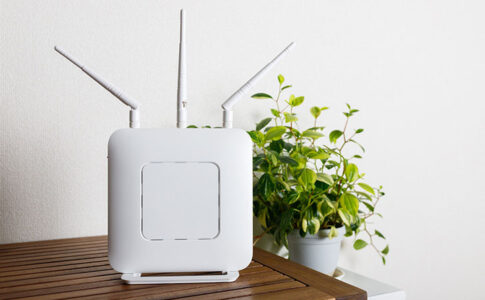
In Japan, routers from BUFFALO, NEC, ELECOM, and I-O DATA are popular. However, none of these support the OpenVPN protocol.
Most OpenVPN-compatible routers are made by overseas manufacturers, which can make them harder to find in Japan.
Among them, the ASUS RT-AC67U, made by the Taiwanese company ASUS, stands out as a relatively affordable and familiar option.
Frequently Asked Questions About Using NordVPN on Multiple Devices
In this section, we’ll answer some common questions about using NordVPN on multiple devices simultaneously.
In Conclusion
With NordVPN, you can connect up to 10 devices simultaneously.
If you set up NordVPN on your home router, you can go beyond this limit and connect more than 10 devices at the same time.
Additionally, by connecting multiple devices at once, you can easily share files across them using mesh network features.
Nowadays, everything from smart speakers, remote controls, and light bulbs to vacuum cleaners, air conditioners, door locks, and security cameras is connected to the internet.
While this connectivity has made everyday life more convenient, it has also increased security risks.
Smartphones, in particular, are especially vulnerable, as they are often used for sensitive activities like banking and credit card transactions.
That’s why it’s important to use a VPN connection—especially when connecting to free Wi-Fi at restaurants, cafés, or public facilities—to ensure your data stays secure.